

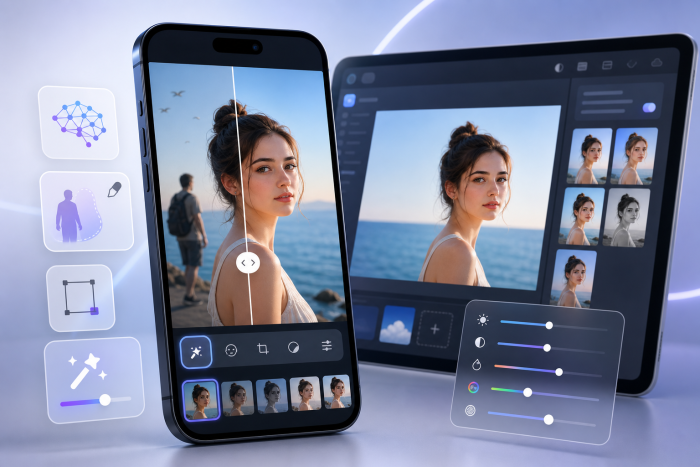
The iPhone camera has reached the point where saying “I shot this on my phone” no longer qualifies as an excuse for questionable photography.
The same thing is happening with editing.
AI photo editing apps can now identify subjects, build masks, remove unwanted objects, retouch portraits, rescue blurry images, replace backgrounds and even generate missing areas of a photograph. Some of these jobs previously required a desktop, Photoshop and enough patience to carefully trace somebody’s hair for twenty minutes.
Of course, having more AI does not automatically make an app better.
As a photographer, I care less about how many buttons have “AI” written beside them and more about whether the software actually saves time while giving me control over the finished image.
So, which apps are worth installing?
Here are eight of the best AI photo editing apps for iPhone in 2026, compared to what they actually do well.
| App | Best For | Standout Capability |
| Adobe Lightroom | Serious photography | AI masking and RAW editing |
| Photoshop | Advanced creative editing | Generative editing and layers |
| Evoto | Portrait retouching | AI skin and facial retouching |
| Google Photos | Everyday photography | Fast automatic corrections |
| Picsart | Social and creative content | AI effects and background editing |
| Remini | Blurry and older photos | AI enhancement |
| Photoleap | Creative AI experimentation | Generative and transformation tools |
| Canva | Finished social and marketing assets | AI editing plus design |
1. Adobe Lightroom
Best for: Photographers who want proper editing controls on an iPhone
Lightroom is my first recommendation if you want your phone to behave more like a serious photographic workstation.
You still get the fundamentals professionals expect: exposure, white balance, curves, colour controls, presets and image organisation.
AI simply makes some of those controls faster.
Lightroom’s premium mobile features include AI-assisted Masking, Generative Remove and Lens Blur. Its masking system can automatically recognise a subject, sky or background so you can make targeted adjustments without painting every selection manually.
Generative Remove is especially useful for cleaning distractions from complicated scenes. Adobe’s system analyses the surrounding photograph and generates replacement content where the unwanted object previously existed.
Why choose it: Lightroom gives you AI speed without taking away traditional photographic control.
It is particularly good for photographers who want to begin an edit on iPhone and continue working within the Adobe ecosystem later.
2. Adobe Photoshop
Best for: More complicated edits, compositing and generative AI
Photoshop on iPhone has become considerably more capable.
Adobe now offers familiar tools such as layers, masks, selections, Clone Stamp, Spot Heal, colour adjustments and curves alongside generative AI capabilities.
Generative Fill can remove distractions or create entirely new content inside selected areas. Backgrounds can also be removed or replaced, including with AI-generated environments.
Adobe expanded Photoshop mobile again in June 2026 with an AI Assistant capable of interpreting natural-language editing instructions and applying targeted adjustments.
That makes Photoshop particularly appealing when the edit goes beyond basic enhancement.
Why choose it: Photoshop is stronger when you need to manipulate the actual contents of an image rather than simply improve exposure and colour.
For straightforward portrait grading, Lightroom may be quicker.
For removing three people, extending the background and somehow repairing the composition you should have fixed while shooting, Photoshop becomes considerably more interesting.
3. Evoto
Best for: Portrait photographers, headshots and people-focused editing
Evoto takes a much more specialised approach than Lightroom or Photoshop.
Its focus is portrait photography.
Evoto Mobile includes AI-assisted skin retouching, blemish removal, facial and body adjustments, colour correction, presets, background editing and batch processing. It also supports wired and wireless tethered shooting, allowing photographers to review and begin editing photographs during a session.
For portrait work, the advantage is immediately obvious.
Instead of manually creating selections for skin, faces and individual features, Evoto can recognise people and provide targeted retouching controls. Its mobile facial recognition can also identify different people within photographs, which is useful when working on groups or larger sets.
The emphasis on preserving natural skin texture is important too. Good portrait retouching should make someone look polished, not freshly manufactured.
Why choose it: Evoto makes the most sense when people are the main subject of your work.
Wedding photographers, headshot photographers, studios and anyone regularly processing large portrait sets can potentially save considerable editing time.
4. Google Photos
Best for: Everyday photographs that need fixing quickly
Google Photos is less intimidating than most dedicated editing apps, which is precisely why it is useful.
On supported iPhones, its editing tools include Magic Eraser, Unblur, Portrait Light and AI Enhance, alongside more conventional exposure and colour adjustments.
Magic Eraser is useful for quickly removing distracting objects or people.
Portrait Light can help improve illumination on faces.
And AI Enhance can automatically produce different edited versions of a photograph for you to choose from, although availability can vary according to account, region and device requirements.
Why choose it: Google Photos is excellent when you do not want an editing workflow at all.
You simply want the photograph to look better.
There is something wonderfully efficient about that.
5. Picsart
Best for: Social creators and quick creative edits
Picsart sits somewhere between a photo editor, graphic-design app and creative playground.
Its AI tools can automatically enhance lighting, clarity and detail, remove backgrounds and identify elements within photographs for further editing.
That makes it particularly useful if your final image is destined for Instagram, TikTok or another content platform rather than a professional print workflow.
You can quickly improve an image and then move directly into effects, text and graphic treatments.
Why choose it: Picsart prioritises creative speed.
For a carefully colour-managed commercial campaign, I would reach for something else.
For creating an eye-catching post before lunch, it makes much more sense.
6. Remini
Best for: Enhancing blurry, compressed or older portraits
Remini specialises in improving photographs that have already lost detail.
Its AI enhancement technology can sharpen faces, improve facial detail, adjust colour and lighting, smooth uneven skin and enhance features.
It can be particularly effective for old family photographs, compressed images and slightly soft portraits.
But there is an important professional caveat.
Enhancement algorithms sometimes reconstruct detail rather than literally recovering information that existed in the original file.
Always compare important photographs against the source.
Why choose it: Remini is one of the more useful tools when the photograph needs rescuing rather than simply editing.
Just remember that “sharper” and “more accurate” are not always exactly the same thing.
7. Photoleap
Best for: Creative AI edits and experimentation
Photoleap is built specifically around creative mobile editing and is currently offered for iOS.
Its AI toolkit includes object removal, background removal, image enhancement, AI Uncrop, AI Replace, text-to-image generation, upscaling and portrait retouching.
AI Uncrop is particularly interesting for content creators because it can generate additional imagery beyond the original boundaries of a photograph.
Suddenly need your horizontal image to work vertically?
AI can attempt to invent what existed outside the frame.
Whether it invents exactly what you would have photographed is another question.
Why choose it: Photoleap is best when photography becomes creative content rather than traditional retouching.
It encourages experimentation and makes fairly complicated visual transformations accessible from an iPhone.
8. Canva
Best for: Turning an edited photograph into finished content
Canva would not be my first choice for RAW development or detailed portrait retouching.
But photography often needs to become something else.
An advertisement.
An Instagram post.
A presentation.
A banner.
A product graphic.
This is where Canva becomes useful.
Its AI editing tools include Magic Edit, Magic Eraser, subject detection, background replacement and one-click background removal. You can then immediately place the resulting image into Canva’s wider design environment.
Why choose it: Canva eliminates the gap between editing the photograph and actually using it.
For marketers, creators, small businesses and photographers handling their own social content, that can save more time than another twenty adjustment sliders.
So, Which AI Photo Editor Is Best for iPhone?
It depends entirely on the photograph in front of you.
Choose Lightroom for serious photography and RAW development.
Choose Photoshop for advanced manipulation and generative editing.
Choose Evoto for portraits and people-focused retouching.
Choose Google Photos for fast everyday fixes.
Choose Picsart for creative social editing.
Choose Remini for enhancing soft or older photographs.
Choose Photoleap for experimental AI transformations.
Choose Canva when your photograph needs to become finished content.
The important thing is not finding the app that promises to do absolutely everything.
It is finding the one that removes the parts of editing you would rather not spend your afternoon doing.
AI is excellent at creating masks, identifying faces, removing distractions and handling repetitive adjustments.
Your job is still to decide whether the photograph actually looks good.
Fortunately, there is not an app for taste yet.

Comments are closed.